

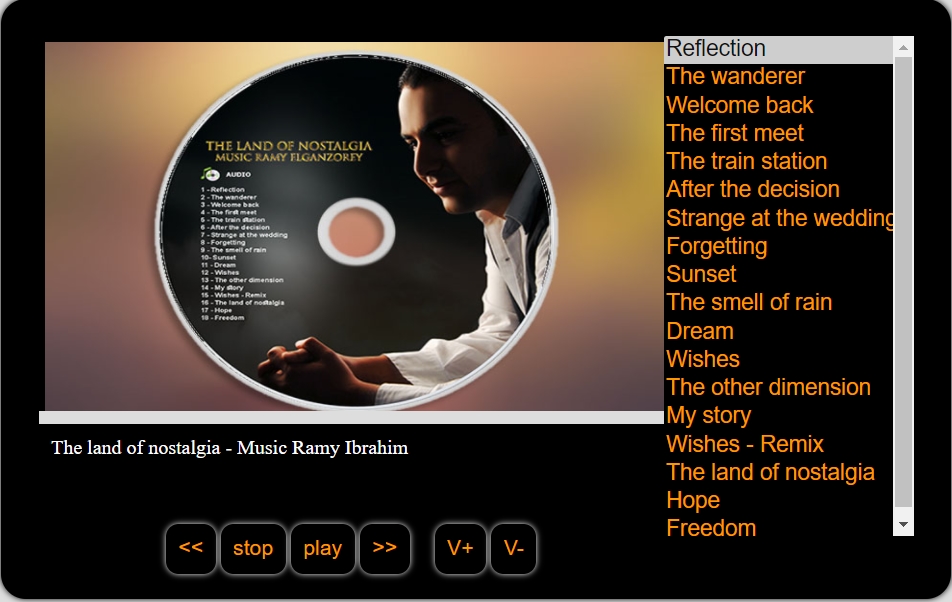
MyList 2.0 – Play your music on your site online
MyList is a simple web application to list your music and play it online on your website.
Developed by: Ramy Ibrahim
Latest version: 2.0
License: Open Source
Languages: HTML, CSS, Javascript
Here is an example, listen to my album!
(What?!…. are you a musician?!) .. (actually, it’s just one of my hobbies! :D)
Or click here to open it on a separate tab.
If you like to use it on your site, here is the link for the source files.
MyList 2.0 (5043 downloads )Or for the developers or my students here is the GitHub link for MyList’s project.
Also for Arabic speakers, you can learn how I developed this project through the video on my youtube channel.
Important
To modify the playlist or to add or remove tracks, use “list.js” file by modifying “playlist” array.
Example:
playlist[0] = new Array();
playlist[0].title = 'track title';
playlist[0].file = 'audio file dir/file name. extension';
playlist[0].poster = 'image file dir/image file name. extension';
Don’t forget to increase the array index number one time with every track.
playlist[0] = new Array();
playlist[0].title = 'Reflection';
playlist[0].file = 'files/001.mp3';
playlist[0].poster = 'images/001.jpg';

playlist[1] = new Array();
playlist[1].title = 'The wanderer';
playlist[1].file = 'files/002.mp3';
playlist[1].poster = 'images/002.jpg';
Notice: you have to set “main_dir” element in “script.js” file with the full path of the directory of the audio files.
Example:
change main_dir:”http://ramy.pro/music/” to main_dir:”your full dir path here”
main_dir:"http://ramy.pro/music/",